

When was
the last time?
The things that matter, yet slip away. An app that remembers your “last time.”
The things that matter
always drift away without a sound.
A call home, a new toothbrush, the road back to your hometown, a movie with friends.
By the time you notice, it's been a long while.
“How are you doing?” — it's been a while since you heard that.
Calling parents

Only the view outside the window was just as it used to be.
Going home

On the way home, nobody said a word. That was the best part.
Seeing a movie
Records, in time,
become a story.
Just tap “Did it” and your rhythm is worked out for you. Add a photo and a few words, and a plain log turns into small memories you'll want to read again.
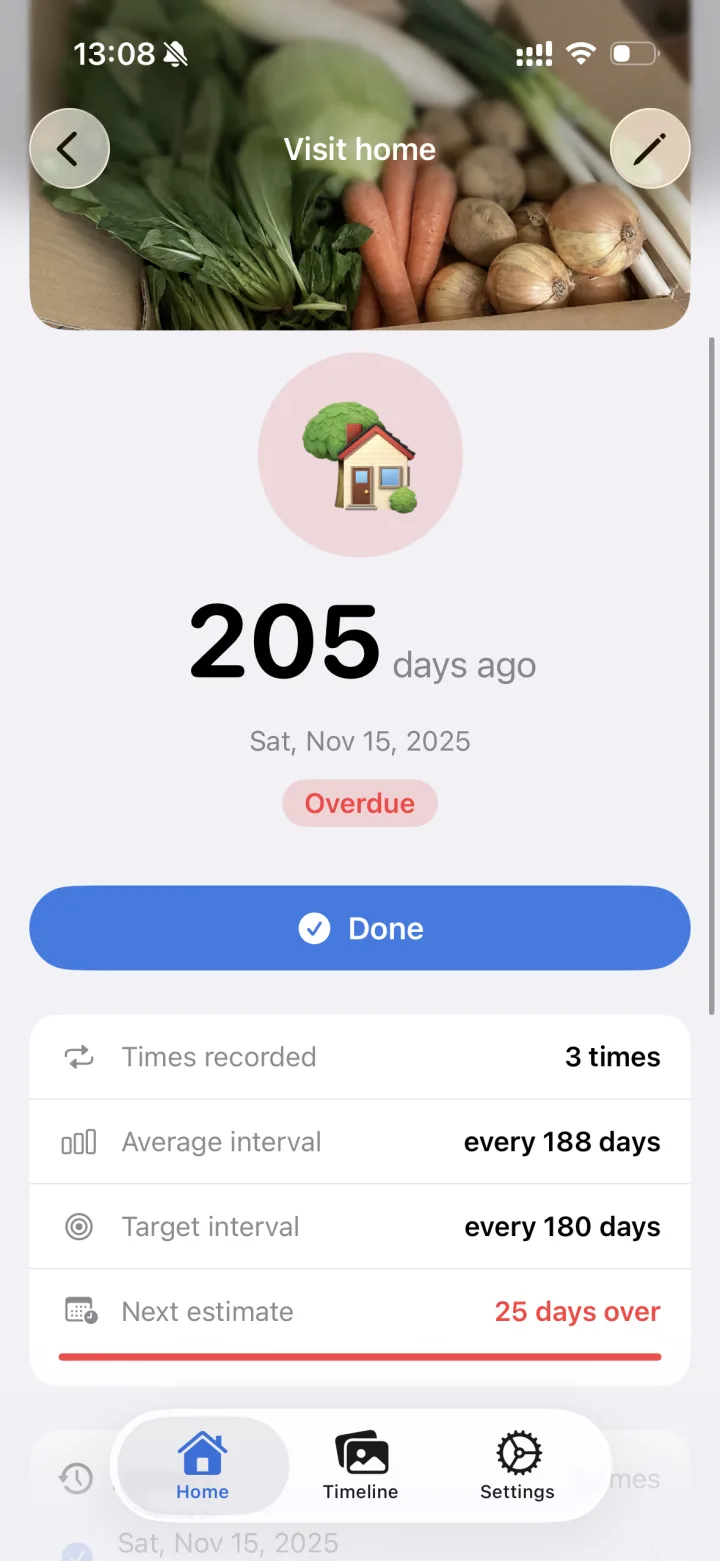
Just tap “Did it.”
Your average interval sets the next estimate, with calm colors for “due soon” and “overdue.”
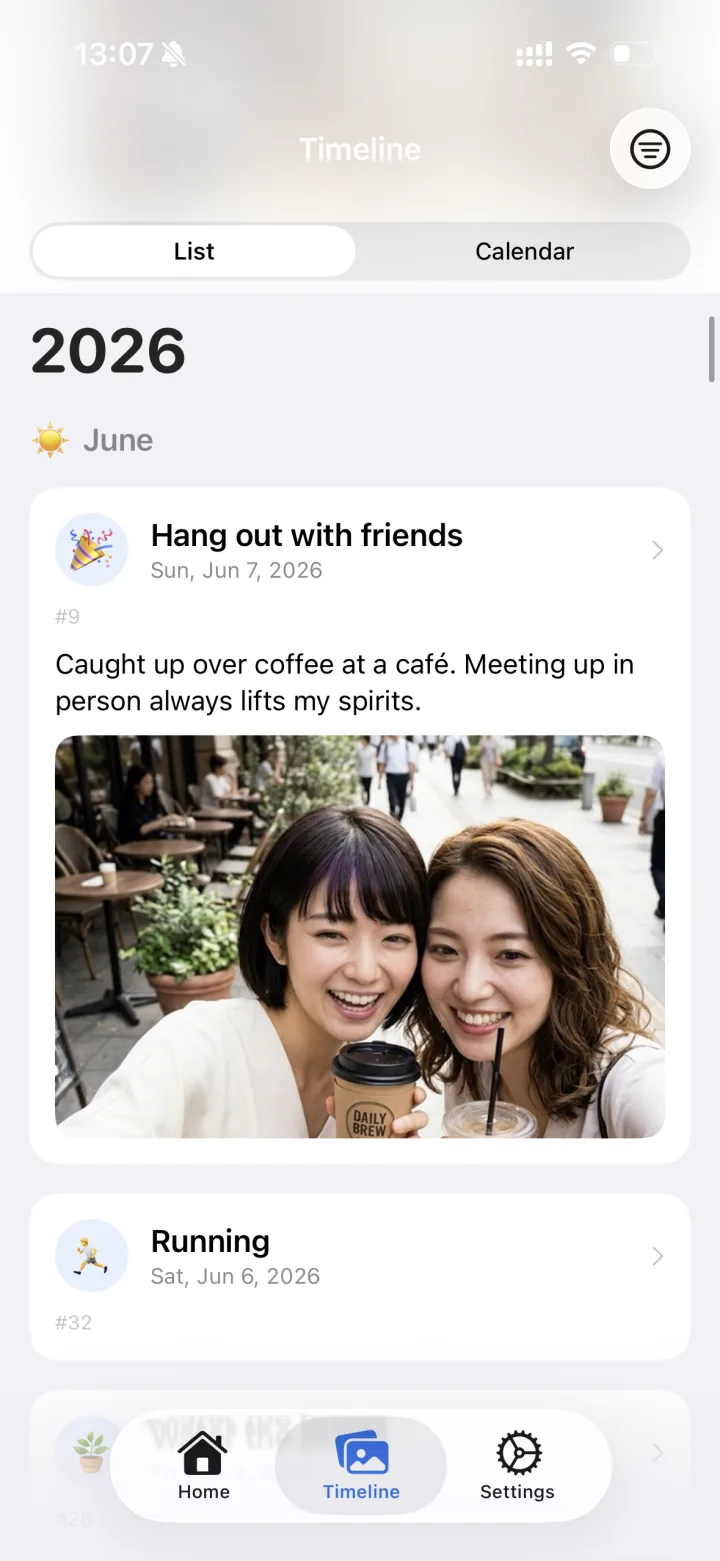
A photo, and a few words.
Attach photos and notes to a record and turn it into a memory worth revisiting.
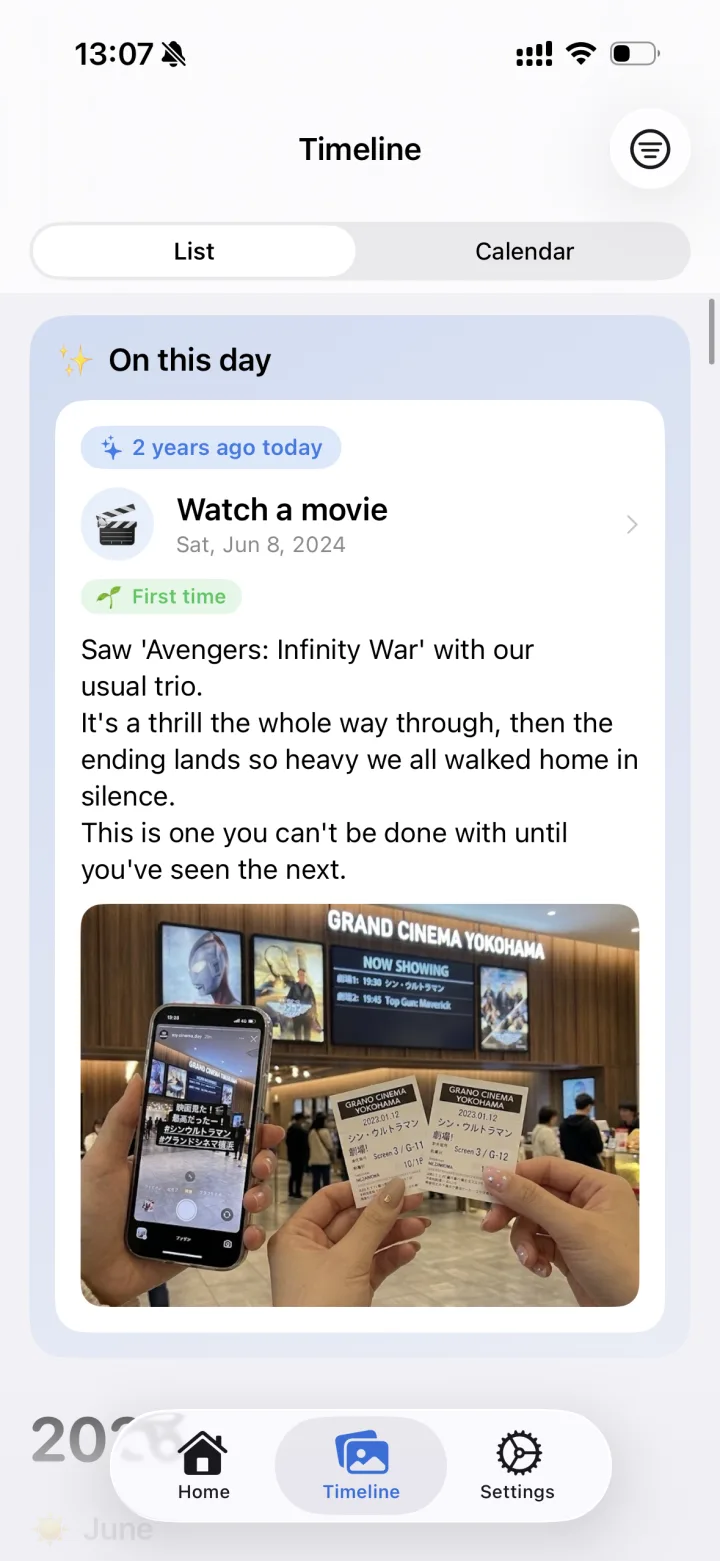
On this day, two years ago.
With “first time” and “long time” marks, unexpected reunions find their way back to you.
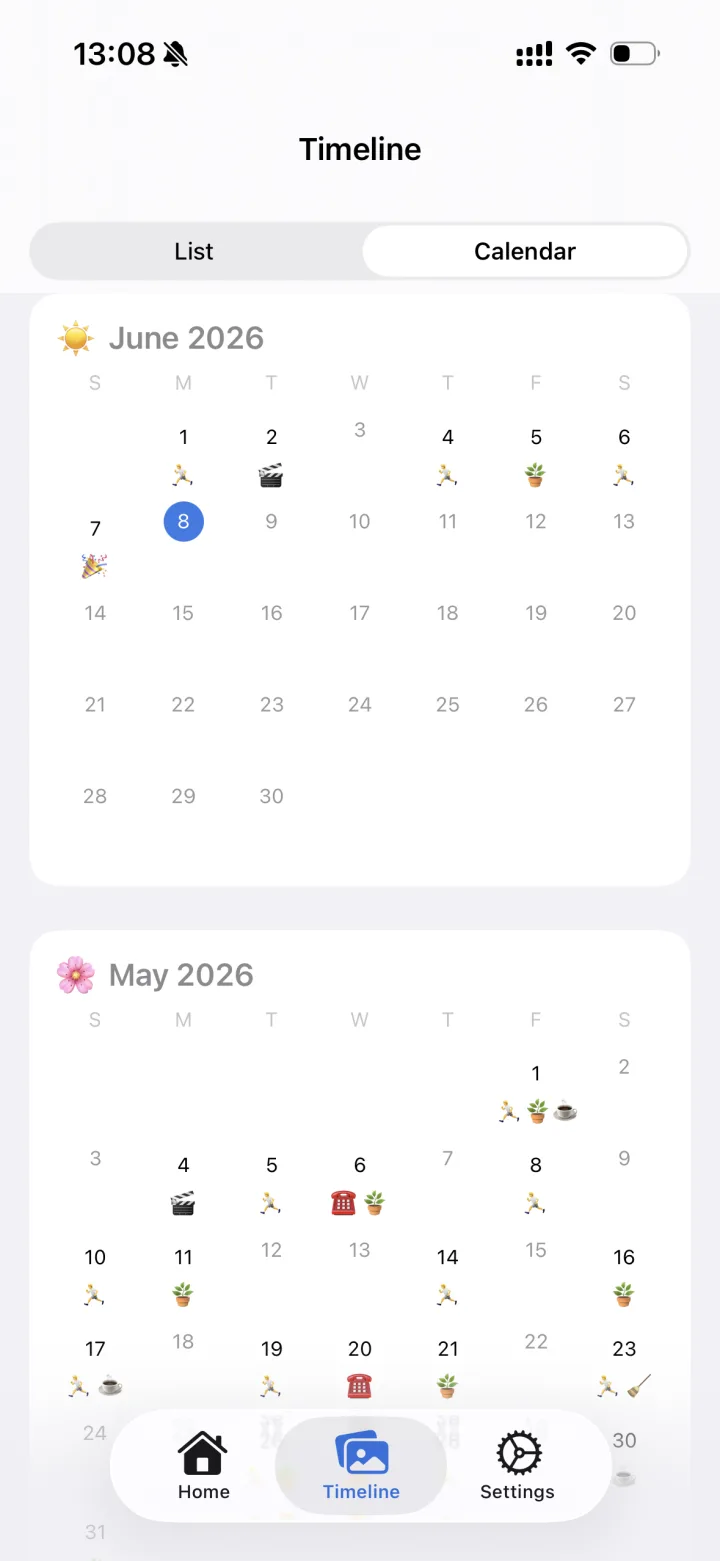
Footprints of your days.
A calendar view shows what you've kept up, month by month, at a glance.
Your records are yours alone.
No account needed. Your records are never sent anywhere else.
- Stored on
- Your device and your iCloud
- Backup
- iCloud sync & file export
- Lock
- Face ID & fingerprint
Frequently asked questions
How much does it cost?
It's a paid app with a one-time purchase — no subscription, no ads. See the App Store or Google Play page for the price in your country.
What is it for?
Recording the last time you did things that matter but tend to slip: calling your parents, going home, seeing a movie, replacing a toothbrush or a filter, a health check-up. You can create any items you like.
How is “every N days” worked out?
From the days you tap “Did it,” the app calculates your average interval automatically. You can also set a target interval; as it nears you'll see “due soon,” and past it, “overdue.”
Where are my records stored?
Only on your device — and, on iPhone, optionally synced to your own iCloud. Your records are never sent anywhere else, including to the developer. No account is required.
What about switching phones?
Between iPhones, iCloud sync carries everything over. You can also export to a file from Settings and import it on the new phone; the format is shared by iPhone and Android, so you can move across platforms.
Is it available on Android?
Yes, it's on Google Play. It runs on iPhone with iOS 17 or later and on Android 8.0 or later. On Android, backups are made by exporting to a file instead of iCloud sync.
The things that matter most
are the easiest to put off.
So make your next “last time” a memory.