

The floor your pet walks on,
always clean.
Which tile did you replace, and when? Which one is next? An app that remembers your tile carpet replacement cycle for you.

Sound familiar?
replace last time?
now I can't keep track…
is a bit much.
Keep a record of every single tile you replace.
Tile Carpet Cycle has it covered.
Lay out the tiles
just like your room.
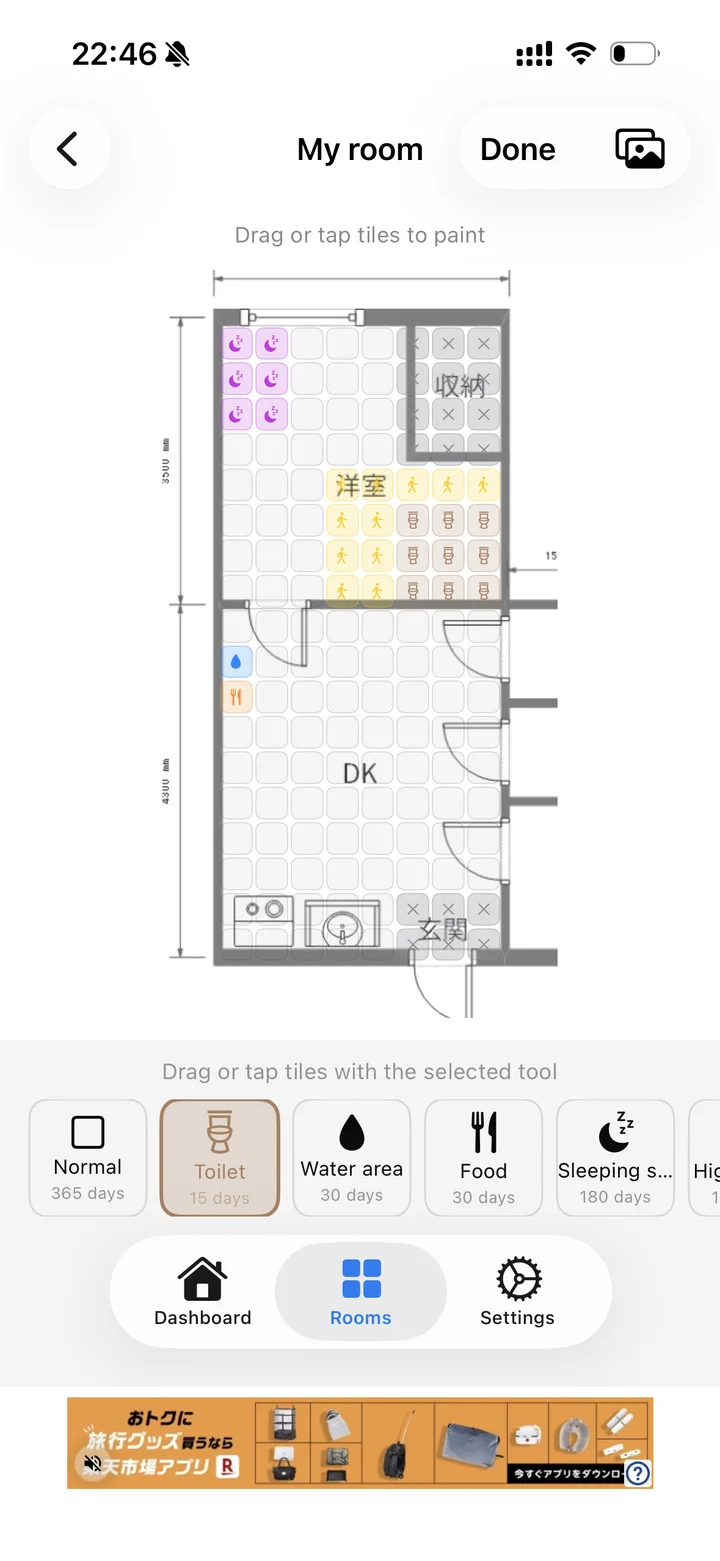
Enter the room's width and depth and the tile size, and the grid lays itself out. Paint over the toilet, bed or food spots, and a replacement cycle that fits how messy each spot gets is set for you.

The next tile to replace,
the app will tell you.
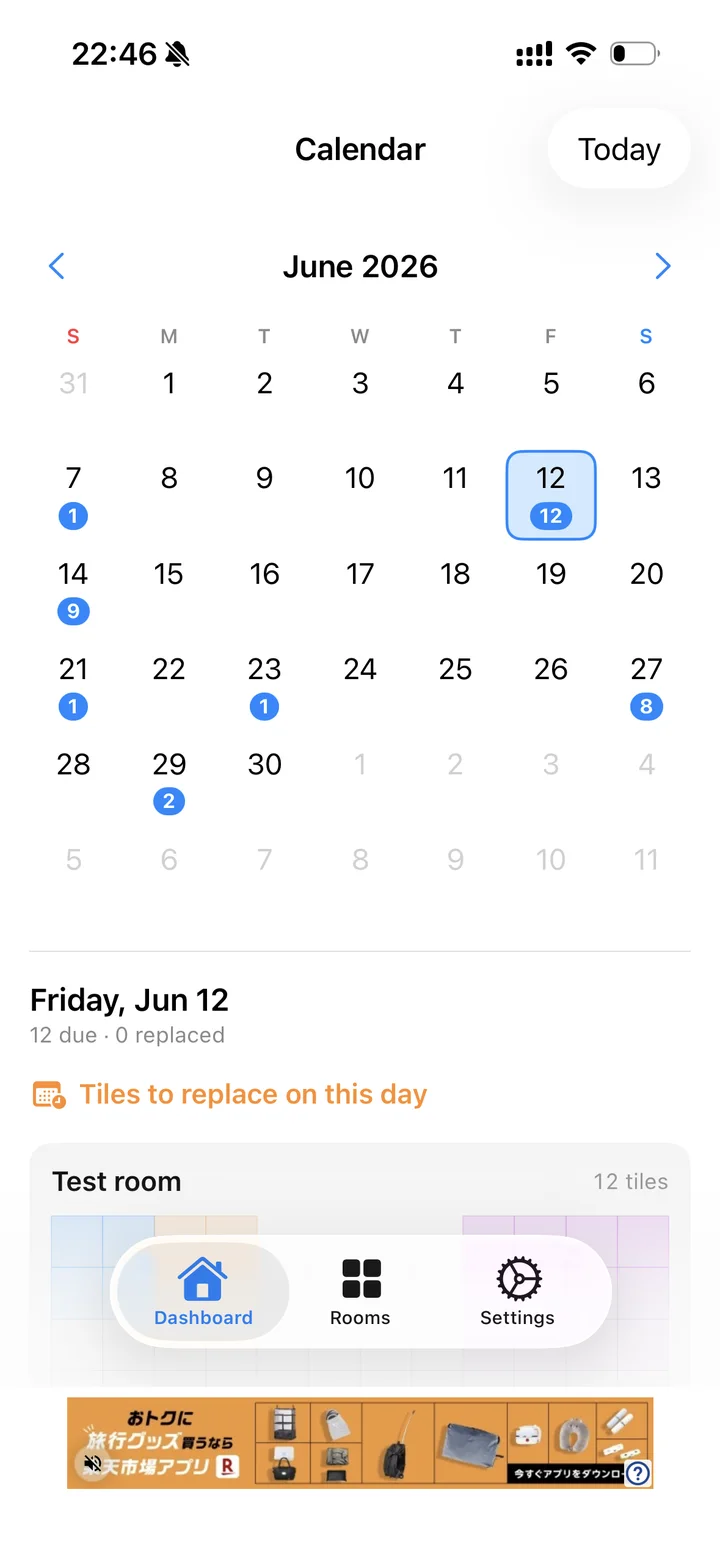
On mornings when tiles are due, you get a notification with how many. The calendar shows how many to replace each day at a glance. No more wondering which one it was.

Keep your family's floor
clean, always.
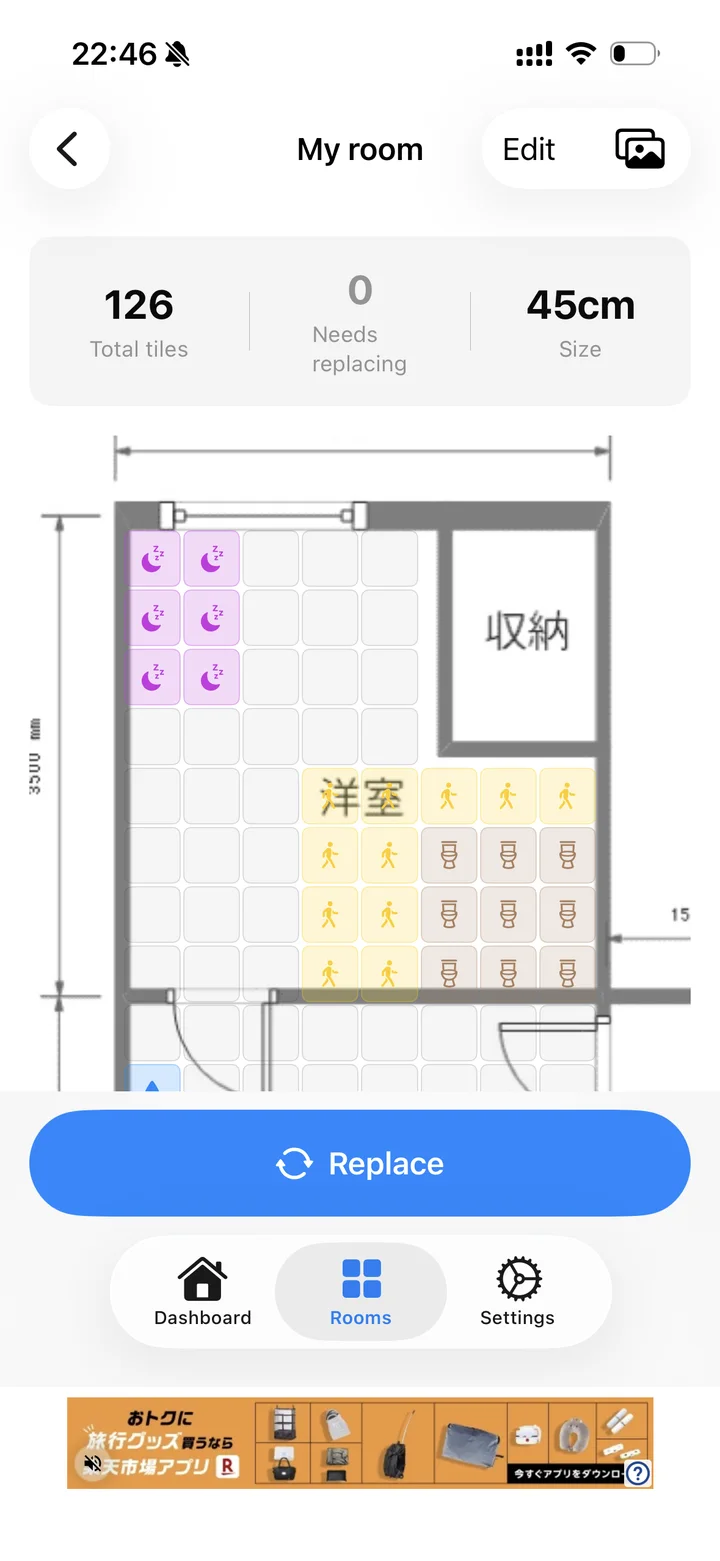
Made for tidy pet owners. See the total tiles and how many need replacing in each room, and record a replacement with a single button.

Frequently asked questions
How much does it cost?
It's free. A banner ad is shown at the bottom of the screen.
What kinds of tile carpets does it work with?
Anything laid in a grid, like square tile carpets or interlocking mats. Enter the room's width and depth and the size of one tile, and the grid lays itself out. You can also place a photo of your floor plan underneath to line things up.
How is the replacement cycle decided?
Paint zones such as toilet, bed, water area, food or high-traffic spots, and a recommended cycle based on how messy each gets is filled in. You can change it per zone or per tile.
When do reminders arrive?
On the morning of any day with tiles due, you get a notification on your device with how many. Notifications are optional.
Where is my data stored?
Only on your device. No account is needed. You can start with a sample room (and delete it later).
Is it available on Android?
Not yet — it's for iPhone (iOS 17 or later). It's available in Japanese, English, Simplified Chinese, Korean and Spanish.

Start keeping track
of your tile carpets.