SIMULATE & SHARE
Show others exactly how you see.
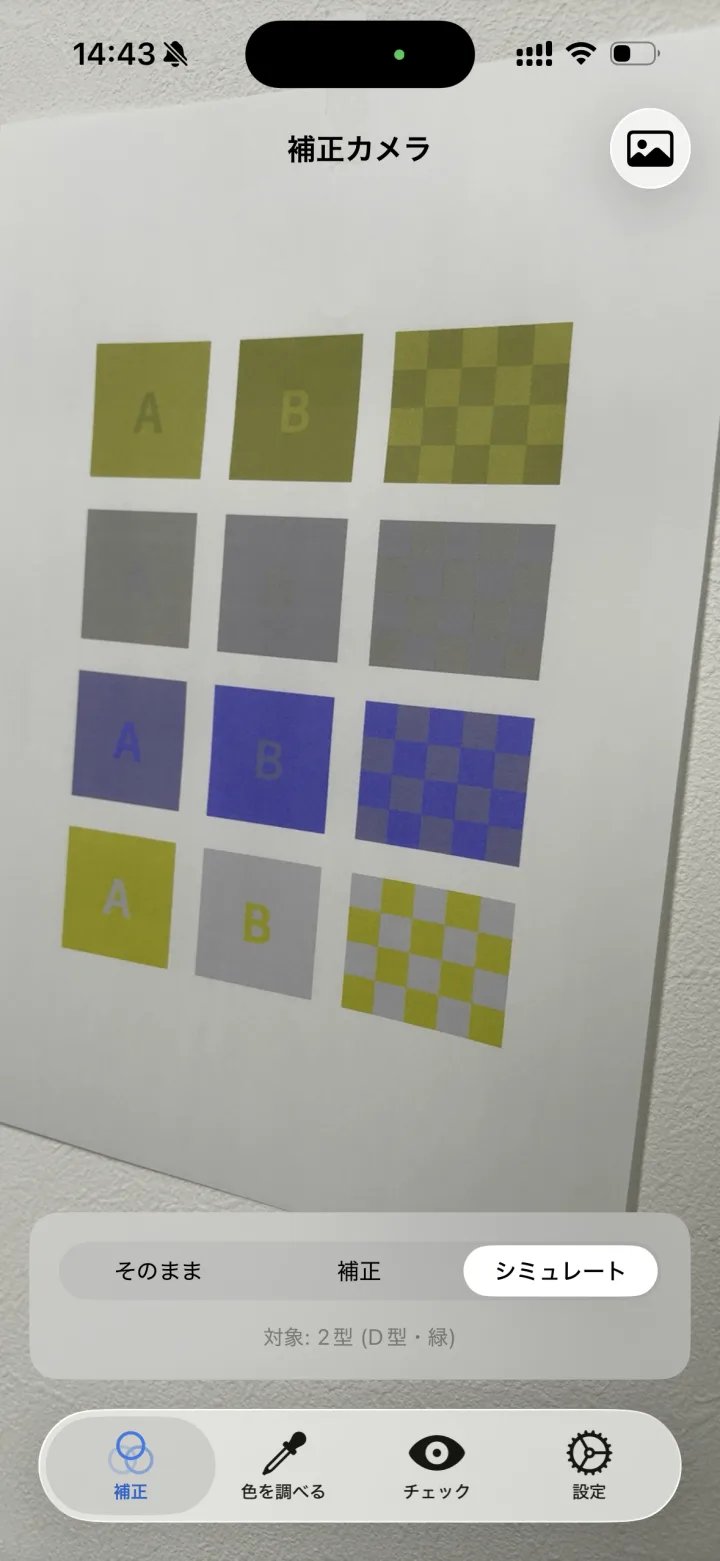
Switch between Original, Corrected, and Simulate with a single tap. Capture a photo that reproduces the colors as you see them, and you can show your family and friends how you perceive color.
 SeeHue
A color-assist camera for people who have difficulty distinguishing colors.
Adjust colors, look up color names, and check how you perceive them.
Inside the lens: how type 2 color vision sees it. The names always show the real color.


All analysis happens entirely on your device. Camera footage and photos are never saved or transmitted.
So much of daily life assumes you can tell colors apart.
Make color-coded lines and areas easier to tell apart.
Match the colors in a legend to the lines and bars.
Look up color names and compare against saved colors.
Check how well meat is cooked or how ripe fruit is.
Tell a red charging light from a green full-charge one.
Switch between Original, Corrected, and Simulate with a single tap. Capture a photo that reproduces the colors as you see them, and you can show your family and friends how you perceive color.
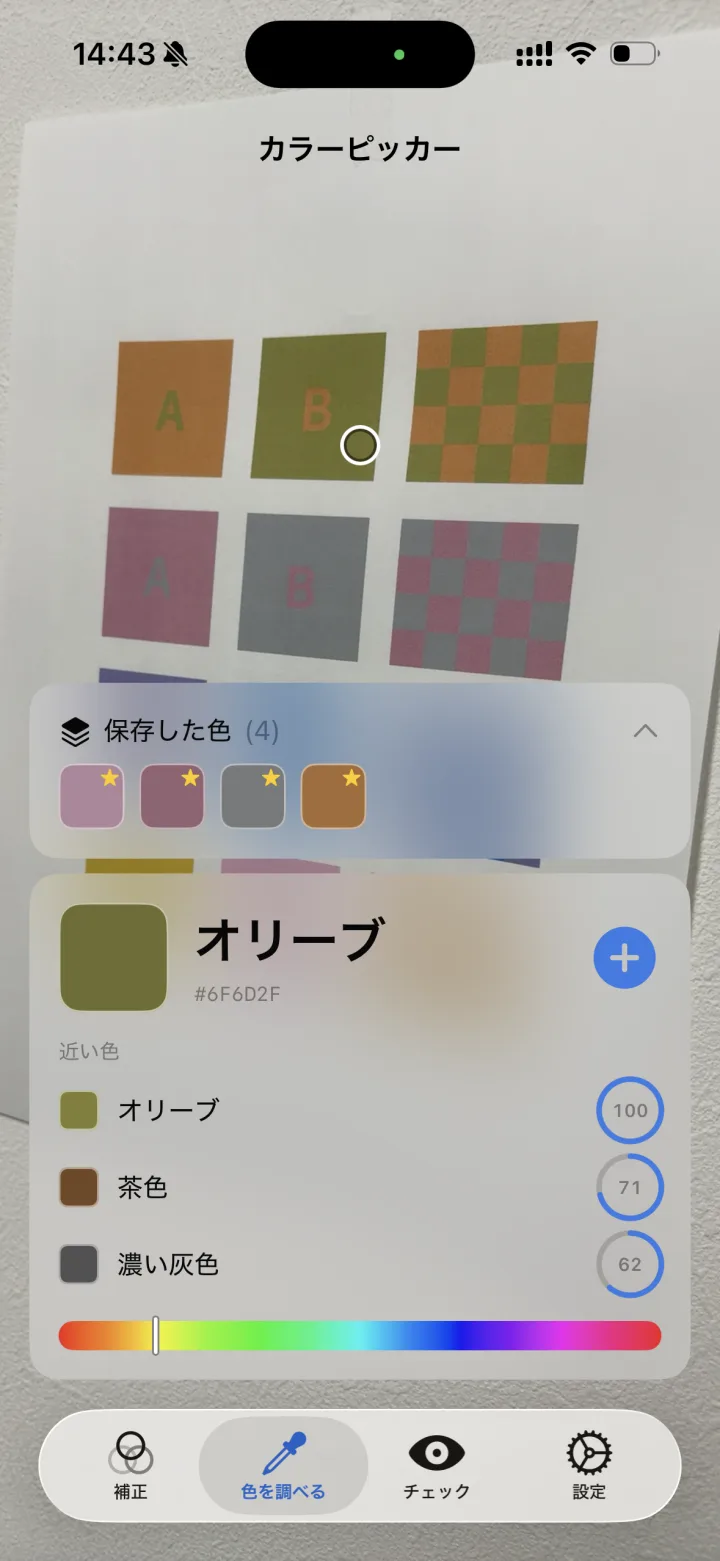
Displays the color of whatever is at the center of the screen by its name (red, teal, etc.) along with its brightness and vividness. It even suggests similar colors, making it a reliable companion whenever you're unsure about a color.
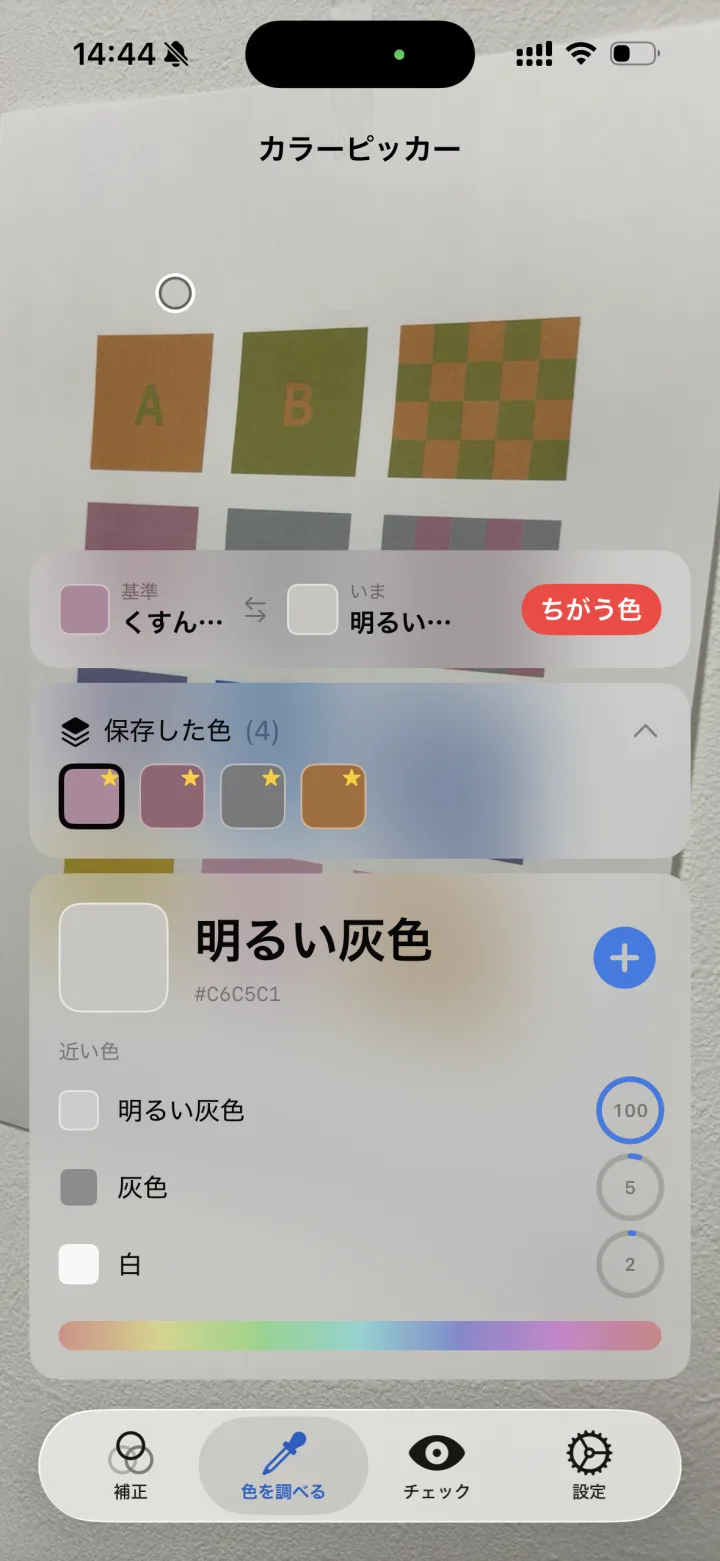
Save a color you're curious about, then match it against the live camera feed in real time. Instantly see whether colors are the Same, Similar, or Different—handy for coordinating clothes and accessories.
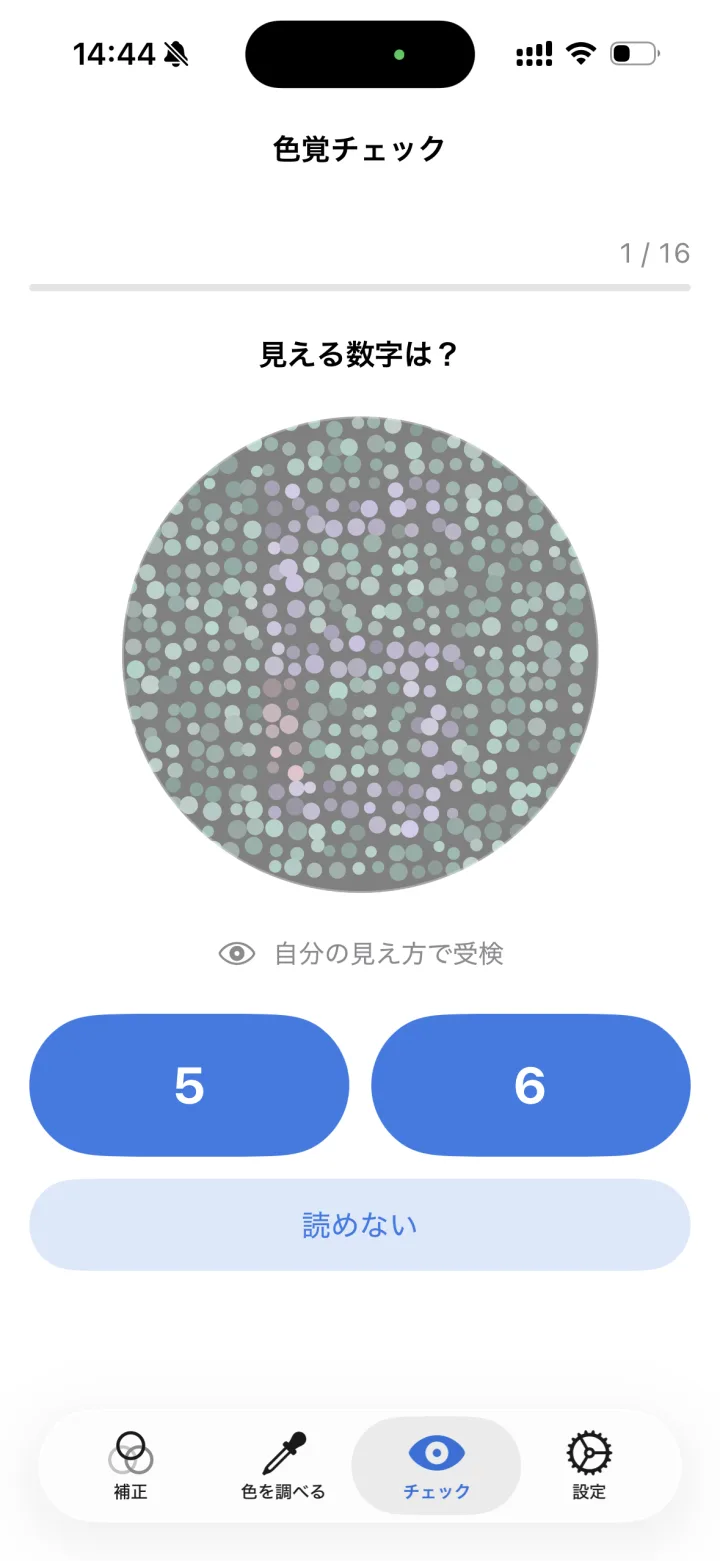
Measure how well you distinguish red-green and blue-yellow with a self-check, then automatically tune the correction strength to your results. Supports type 1, type 2, and type 3, and lets you create profiles.
Inherited differences in color vision affect about 1 in 20 men and 1 in 500 women in Japan. The type depends on which of the three kinds of color-sensing cells (cones) in the eye works differently.
SeeHue supports all three types and lets you tune the correction to how strongly each one affects you.
Source: Japan Medical Journal: Congenital color vision deficiency (Japanese)
It's a paid app with a one-time purchase — there's no subscription. See the App Store or Google Play page for the price in your country. No account is required.
Yes. It's available on Google Play. It runs on iPhone and iPad with iOS 17 or later, and on Android 13 or later.
Yes. The built-in self-check measures how well you tell red-green and blue-yellow apart, then tunes the correction strength automatically.
No. SeeHue is a tool that helps you distinguish colors; it does not diagnose or treat color vision characteristics. Self-check results vary with screen brightness, lighting, and how your device renders color. For an accurate diagnosis, please see an eye doctor.
No. All analysis happens on your device. A corrected photo is saved to your photo library only when you choose to save it.
SeeHue is available in 19 languages, including English and Japanese.
No account required. Start using it right away.