 Routin
Different days,same habits.





Designed to
never rush you.
Chasing numbers makes habits painful. So from the start, Routin has no streaks, no scores and no nagging notifications.
- StreaksNone
- Scores and levelsNone
- Nagging notificationsNone
Switches with
your kind of day.
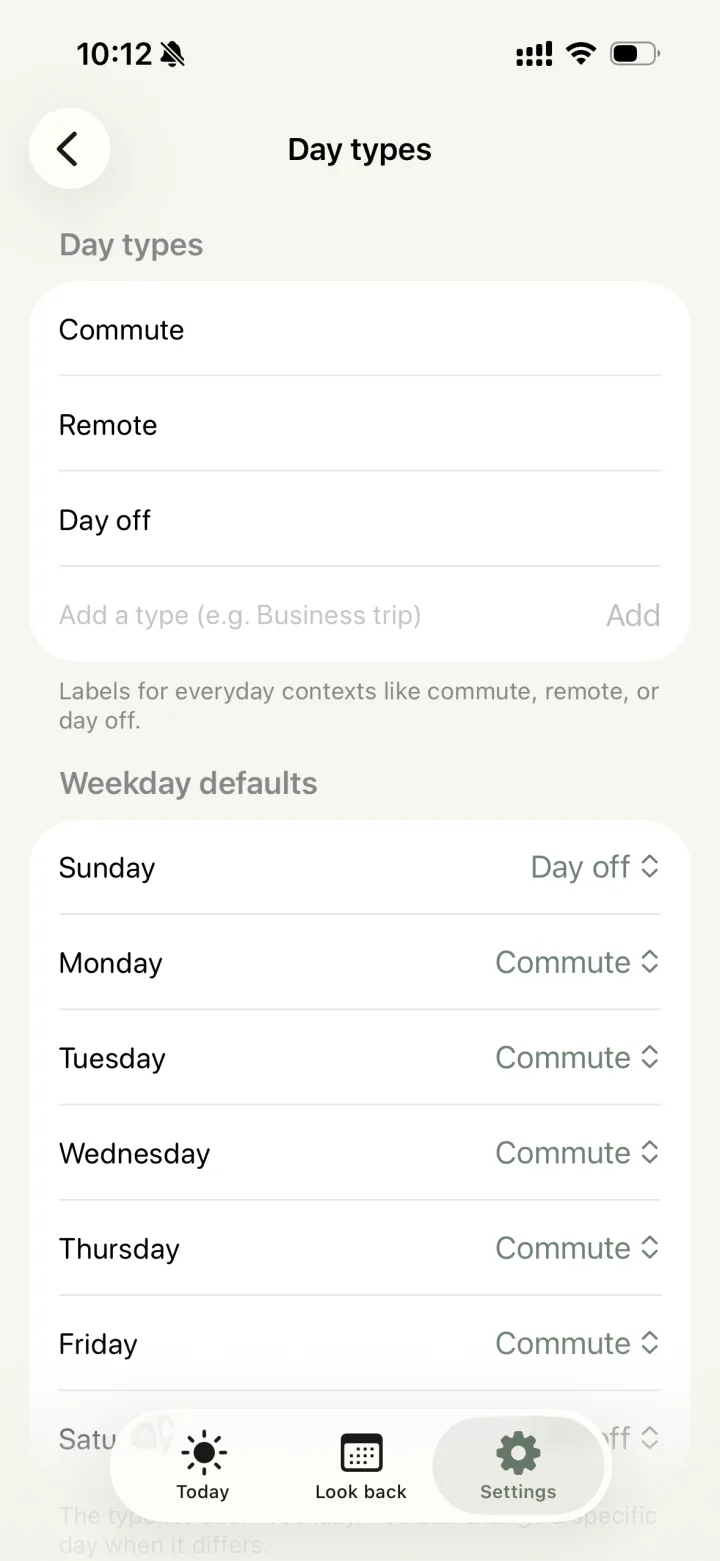
Commute days, remote days, days off. Your routines switch with the mode of your day, so every day settles in easily. You can also change it “just for today” when you feel like it.
Look back on
the days you did.
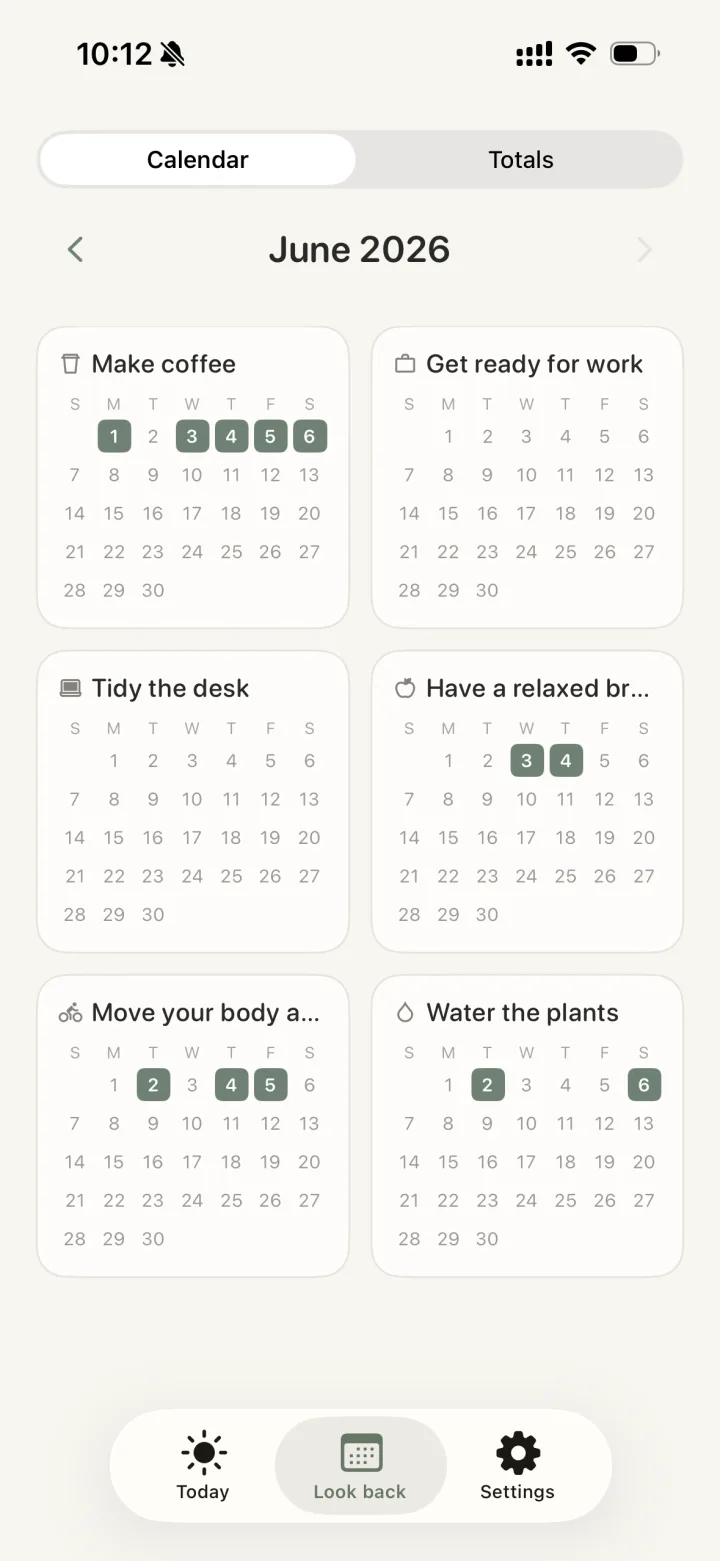
No completion rates, no count of missed days. The days you kept going simply light up on a calendar.
Borrow the routines
of great minds.
A morning of deep focus, a ritual for ending work, creative mode. The daily patterns of well-known people, sized to fit your own life.
Plus more than 50 templates in all.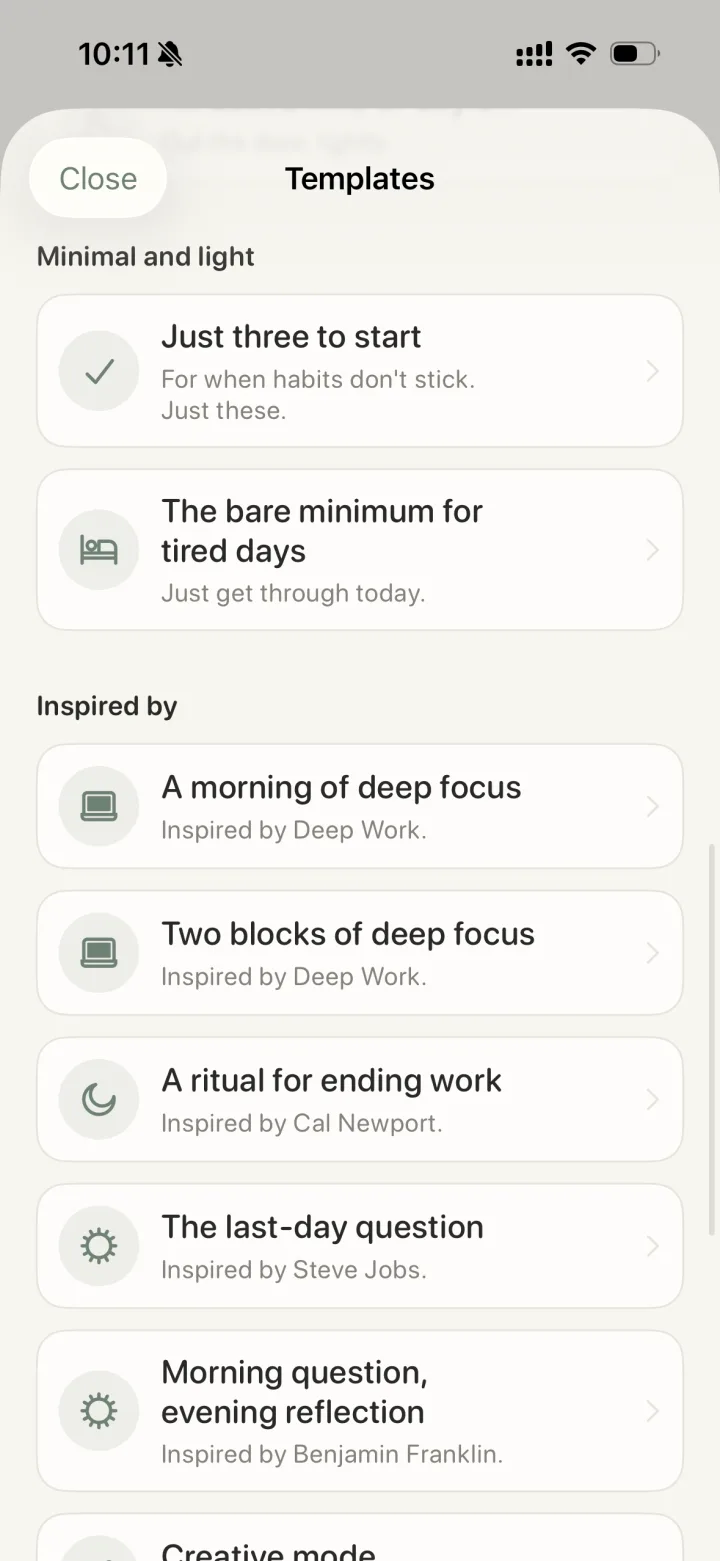
- Just three to startFor when habits don't stick.
- The bare minimum for tired daysJust get through today.
- A morning of deep focusInspired by Deep Work.
- A ritual for ending workInspired by Cal Newport.
- Morning question, evening reflectionInspired by Benjamin Franklin.
- Creative modeInspired by Haruki Murakami.
- The last-day questionInspired by Steve Jobs.
Check it at a glance,
right from home.
With the home screen widget, you can see today's routine without even opening the app.

Frequently asked questions
Is Routin free?
Yes, it's free to use. A banner ad is shown at the bottom of the screen. No account is required.
Is it available on Android?
Yes, it's on Google Play. It runs on iPhone with iOS 17 or later and on Android 8.0 or later.
Does it have streaks or reminder notifications?
No. Routin never counts the days you missed or nags you with notifications. Only the days you kept going show up on the look-back calendar.
Can I use different routines on different days?
Yes. Keep routines for each type of day — like commute, remote or day off — and set a default for each weekday. You can also switch “just for today.” You can add your own day types too.
Do I have to set exact times?
No. Besides exact times like “7:00,” you can use loose bands like “in the morning.” One-off to-dos can live alongside your routines.
Where is my data stored?
Only on your device. The developer never collects or sees the routines and records you create.
What languages does it support?
19 languages, including English and Japanese. It also supports dark mode.


Start today, quietly.
No account needed.
Your data stays only on your device.