 [verdash]
Vercel,in your pocket.
# From watching builds to rollbacks and promotes.# Production deploys — one-handed, wherever you are.


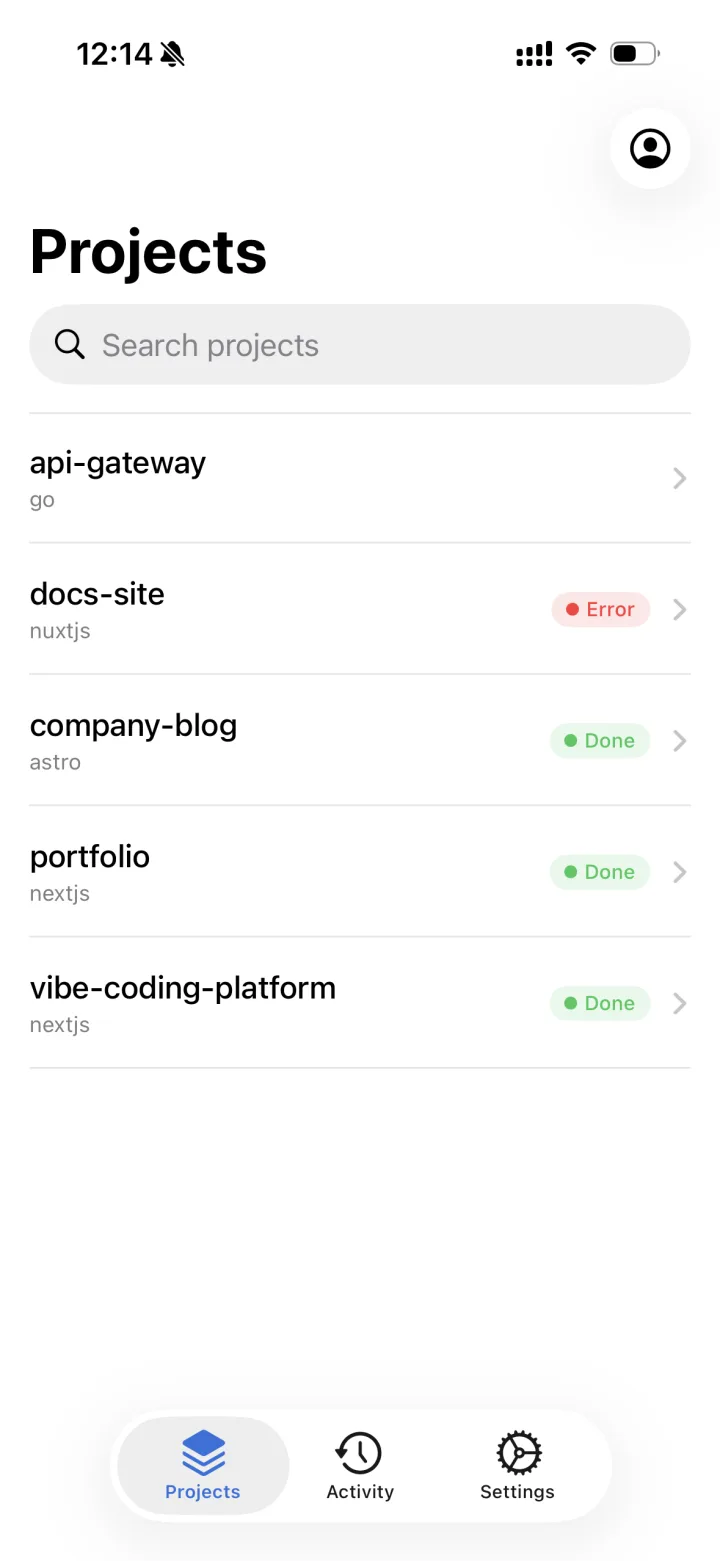
See every deployment's state at a glance.
- ● ReadyDone
- ● BuildingIn progress
- ● QueuedWaiting
- ● ErrorFailed
- ● CanceledStopped
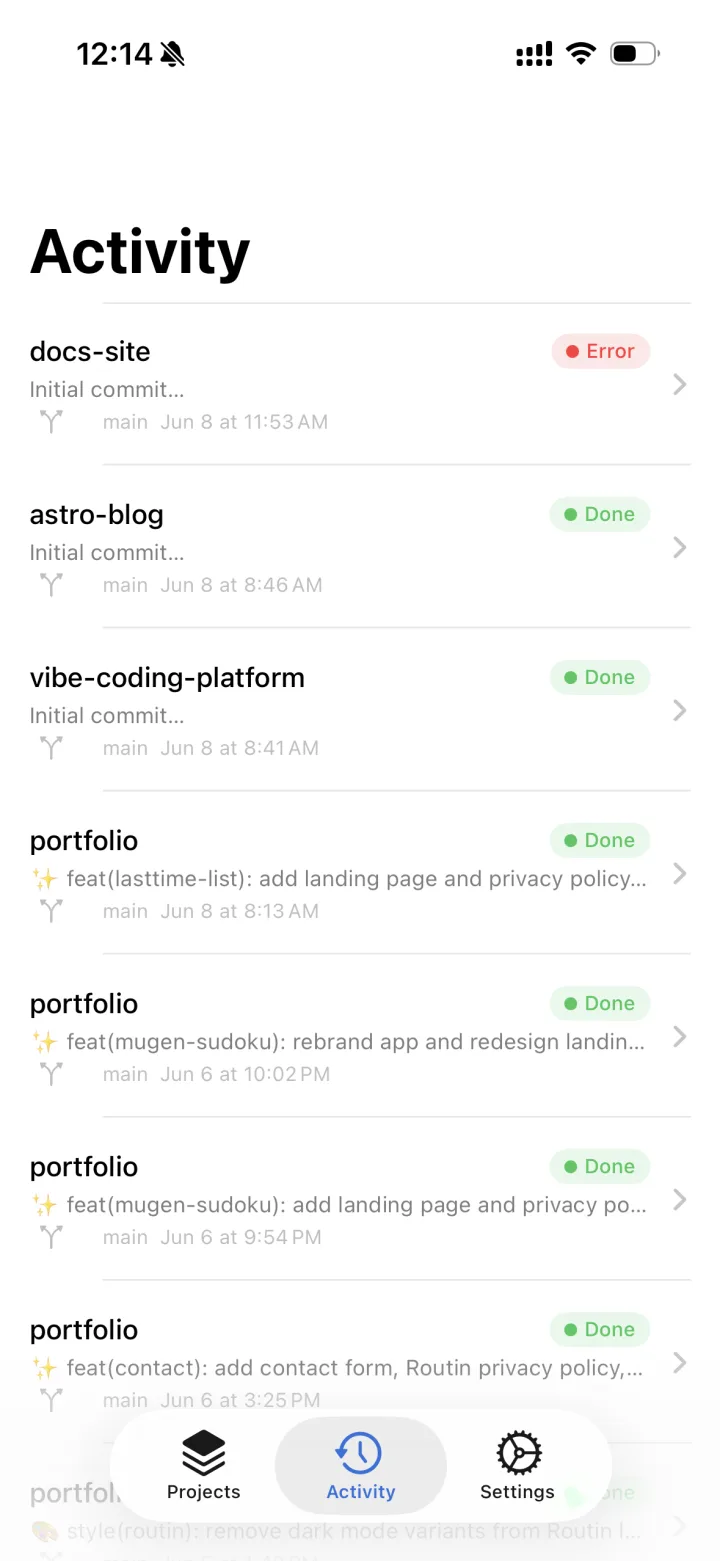
Every project,
on one timeline.
Deployments across all your projects, in time order. Branch, commit message and relative time side by side, with a Live badge so you can spot what's running right now.
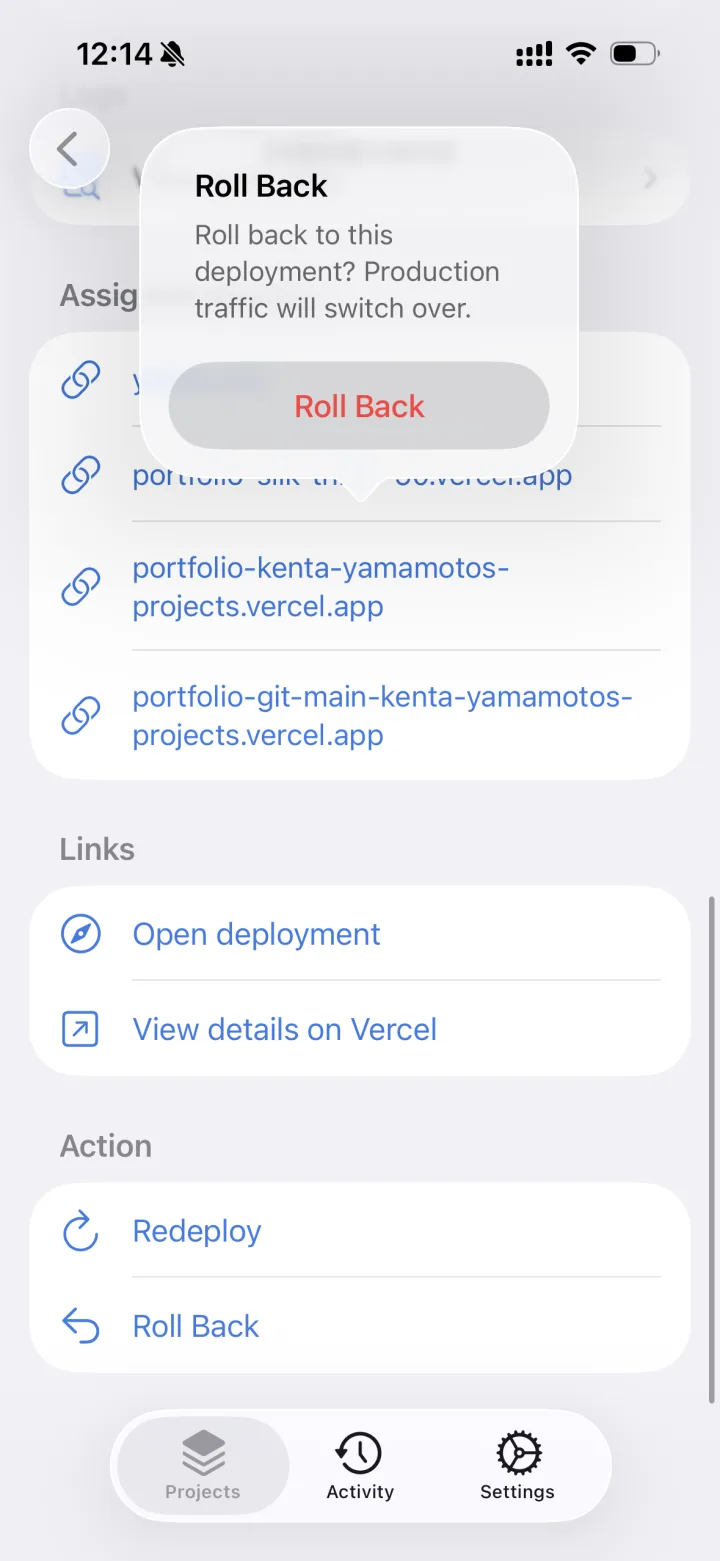
The critical moves,
right in your hand.
Promote to production, roll back instantly, redeploy or cancel — in one tap. While rolled back, a banner makes it obvious, and you can undo it just as fast.
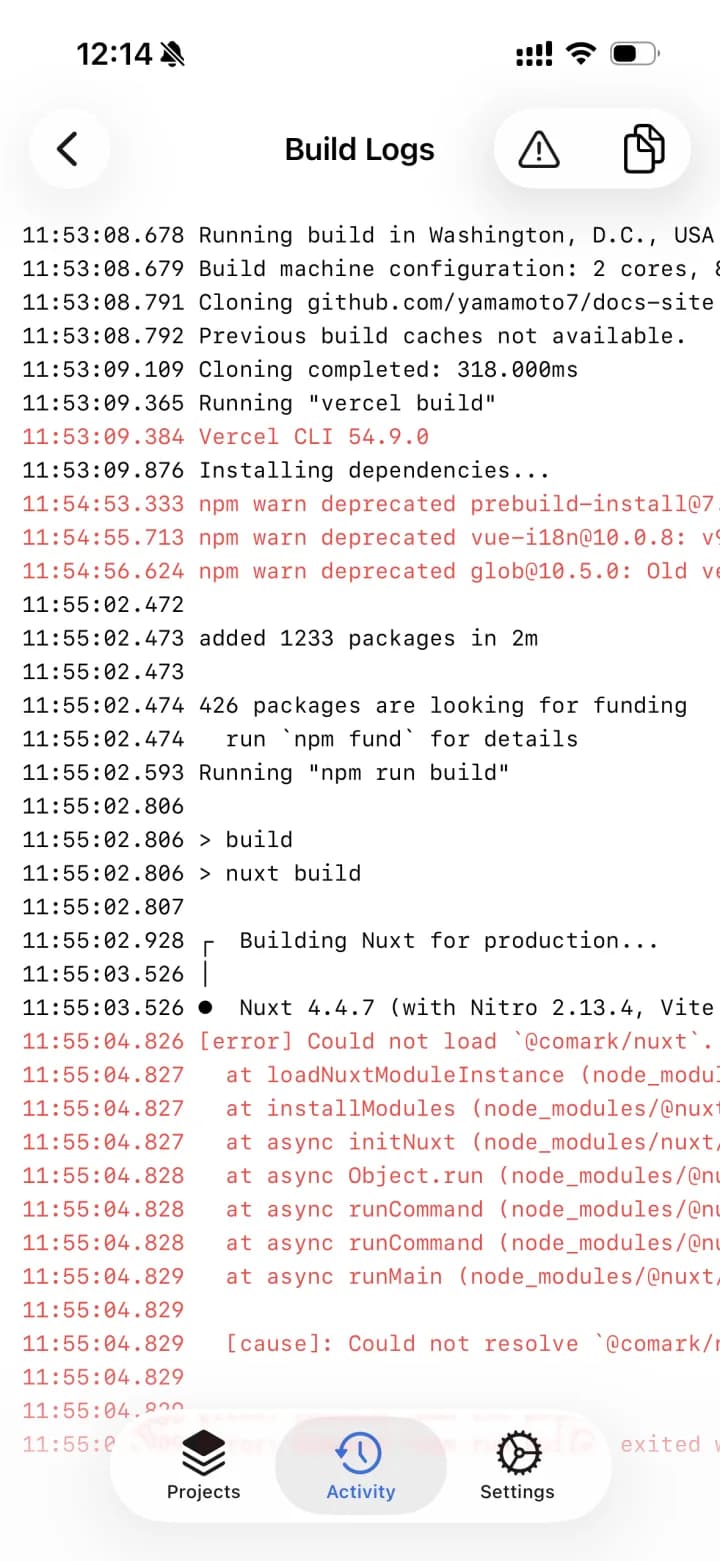
Pull out just
the error lines.
Scroll the full log in a monospaced view. Filter down to the error lines, highlighted in red, and copy them in one tap. Pull to refresh while a build is running.
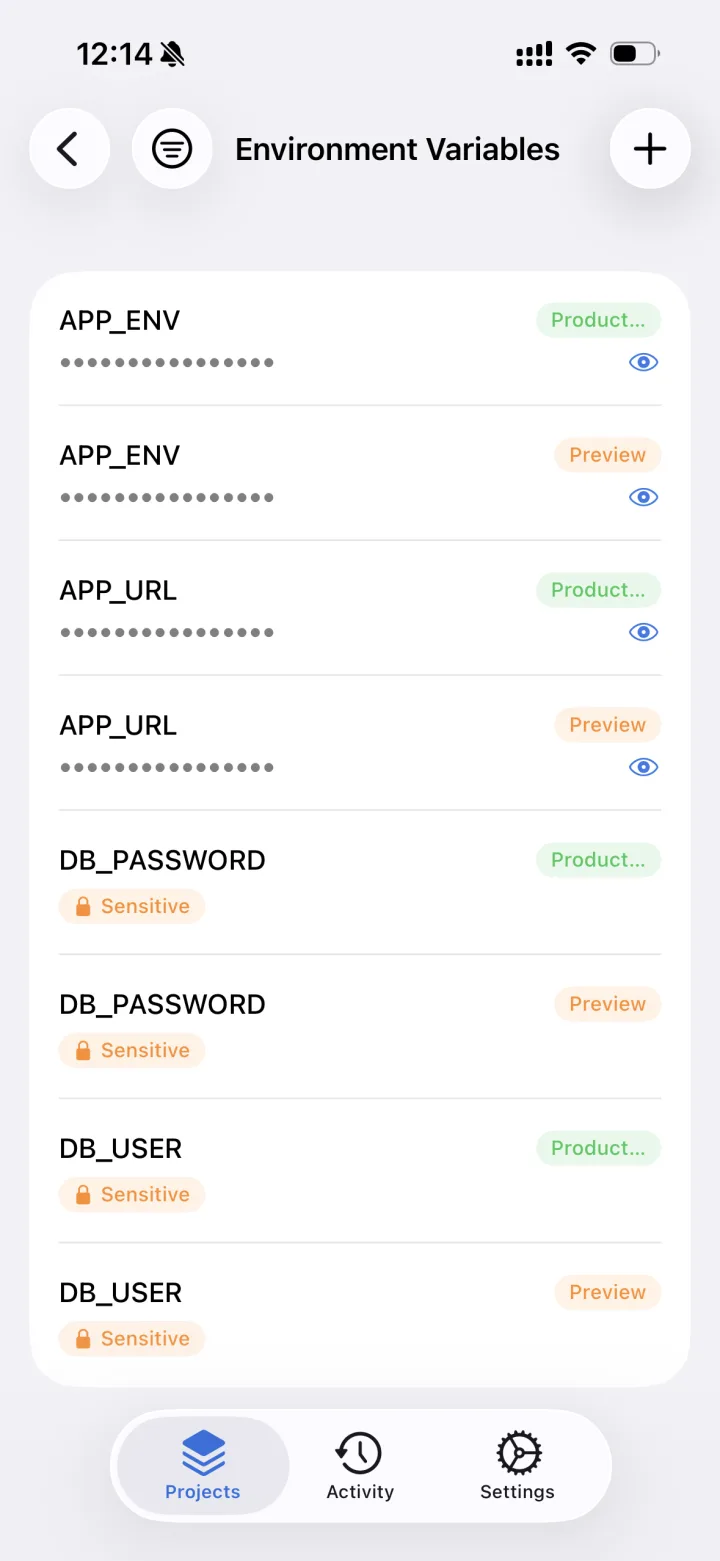
Environment variables,
on the go.
Sensitive values are masked by default — tap the eye to reveal. Target environments and types show as badges, and you can add, edit, delete, filter and sort.
And more, within reach.
- domains
- Verification, DNS records and redirects
- firewall
- Managed and custom rules
- edge-config
- Browse configs and key-value items
- teams
- Switch between personal and team scopes
- ✓ Sign in with a Personal Access Token
- ✓ Tokens stay on your device (iOS Keychain / Android Keystore)
- ✓ All traffic over HTTPS
Frequently asked questions
How much does it cost?
It's a paid app with a one-time purchase — there's no subscription. See the App Store or Google Play page for the price in your country.
Is this an official Vercel app?
No. Verdash is an unofficial app made by an independent developer and is not affiliated with Vercel Inc. It works through Vercel's public API. Vercel is a trademark of Vercel Inc.
What do I need to use it?
A Vercel account and a Personal Access Token (PAT). You can create a token in your Vercel account settings; the app links straight to that page.
Where is my token stored?
Only on your device — in the iOS Keychain, or encrypted with the Android Keystore. It is never sent anywhere else, including to the developer. You can delete it from the app at any time.
Can I see my team's projects?
Yes. Switch between your personal scope and your teams (workspaces). You can also save several accounts and switch between them in one tap.
Is it available on Android?
Yes, it's on Google Play. It runs on iPhone with iOS 17 or later and on Android 8.0 or later.
Production,
always in hand.
# Requires a Vercel account and a Personal Access Token.